
If you run a business, you probably have projects.
Maybe you’re an SEO consultant managing five clients. Maybe you run a web development company and have three websites in production. Maybe you’re a freelancer working on a branding project, a marketing campaign and a website redesign at the same time.
Whatever you do, eventually you reach the point where a notebook, spreadsheet and 47 browser tabs stop being a project management system.
That’s where project management software comes in.
Table of Contents
What is a Project Management Software
Project management software is a tool that helps you organize projects, tasks, deadlines, people, files and other information in one place. Instead of trying to remember what needs to happen next, you can see the work, assign responsibilities, track progress and keep the project moving.
For a small business, that can make a surprisingly big difference.
You don’t need a 40-person project management department to benefit from it. If you have clients, employees, contractors or multiple things happening at the same time, project management software can help you keep the chaos under control.
Who uses Project Management Software?
Pretty much anyone who has to get work done with other people.
Project management software is common in large companies, but you don’t need a large company to use it. In fact, smaller businesses often have more to gain from having everything organized because there isn’t a dedicated project manager sitting around making sure everyone knows what they’re supposed to be doing.
Some common users include:
- Freelancers
- Consultants
- Marketing agencies
- SEO agencies
- Web developers
- Designers
- Software development teams
- Construction companies
- Real estate businesses
- Professional services firms
- Small businesses with internal projects
- Remote teams
- Nonprofit organizations
A freelancer might use it to manage each client as a separate project.
An SEO agency might have a project for every client, with tasks for technical SEO, content, link building, reporting and monthly reviews.
A web development company might use it to move a website from discovery to design, development, testing and launch.
A small business owner might simply use it to make sure the website redesign, new marketing campaign and office move don’t all become one giant mess.
You don’t need hundreds of employees or complicated projects.
If you’re responsible for getting several things done and need to know who is doing what and when it needs to be finished, project management software makes sense.
What’s the purpose of Project Management Software?
The purpose is pretty simple:
To organize work so you know what needs to happen, who needs to do it and when it needs to be done.
That’s it.
Project management software doesn’t magically make a difficult project easy. It won’t make a client approve something they’ve been ignoring for three weeks. It won’t write your website or fix a developer’s bug at 2 a.m.
What it does is give you a central place to manage the work.
A properly organized project should answer basic questions without requiring you to send five emails:
- What’s the project?
- What needs to be done?
- Who is responsible for each task?
- What’s finished?
- What’s late?
- What happens next?
This becomes particularly useful when several people are involved.
Without a project management system, information tends to end up everywhere. Some of it is in email. Some is in Slack. Some is in a spreadsheet. Someone has a Word document on their computer. Someone else has written the deadline on a Post-it note.
And then someone inevitably asks:
“Wait, who was supposed to do that?”
Project management software gives everyone one place to look.
It also creates a record of the project. That matters when a project lasts for weeks or months, or when someone else has to take over the work.
You shouldn’t have to dig through ten emails and three Word documents to figure out what happened before you joined a project.
What counts as Project Management Software?
Project management software is any software designed to help you plan, organize, assign, track and complete project work.
That definition covers a lot of different tools.
At the simplest level, project management software might be a task list where you can create a task, give it a deadline and mark it complete.
More advanced systems can include:
- Projects and project roadmaps
- Tasks and subtasks
- Deadlines
- Task assignments
- Priorities
- Status tracking
- Team collaboration
- File management
- Notes and documentation
- Time tracking
- Calendars
- Notifications
- Workflows
- Reports
- Client access
- Project templates
The important part isn’t how many buttons the software has.
It’s whether it actually helps you manage the work.
A spreadsheet can technically be used to manage a project. So can a shared document. You could even create a project management system with sticky notes on a wall.
That doesn’t necessarily make those things good project management software.
The difference is that purpose-built software gives you tools specifically designed around managing projects, rather than forcing you to build the system yourself.
And there is another distinction worth making.
Project management software isn’t necessarily the same thing as business management software.
A project management tool focuses primarily on projects and tasks.
A broader business management platform can include project management alongside CRM, leads, proposals, contracts, invoicing, internal documentation and other business functions.
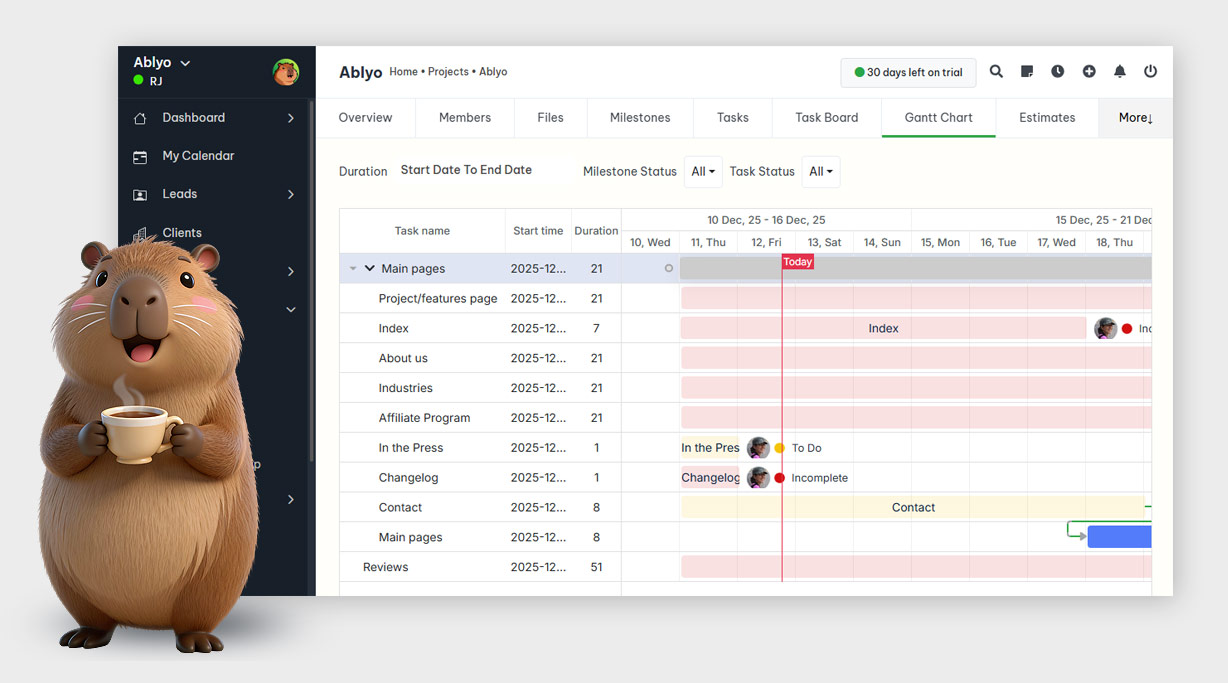
That’s where a platform like Ablyo takes a different approach. Project management isn’t sitting completely on its own. It’s part of a larger system for running a small business.
Benefits of using Project Management Software
The obvious benefit is organization.
But organization isn’t the only reason businesses use project management software.
Everything is in one place
You don’t have to remember which spreadsheet contains the latest version of the project plan.
The project, tasks, deadlines and related information can live together.
That’s particularly useful when several people work on the same project.
Everyone knows what they’re supposed to do
A task should have an owner.
Instead of saying, “Someone needs to update the landing page,” you can assign the task to John and give him a deadline.
Now John knows it’s his responsibility, and everyone else knows who is handling it.
That’s a small change, but it eliminates a lot of pointless back-and-forth.
You can see project progress
A project isn’t finished just because someone says they’re working on it.
Project management software lets you see which tasks are complete, which are in progress and which haven’t started.
That gives you a much clearer picture of where the project actually stands.
Deadlines become visible
A deadline buried in an email isn’t particularly useful.
A deadline attached to a task is much harder to miss.
You can see upcoming work, overdue tasks and important milestones without searching through your inbox.
Fewer things get forgotten
This is one of the biggest benefits for small businesses.
You probably aren’t forgetting things because you don’t care about them. You’re forgetting because you’re busy.
A client asks for something while you’re working on something else. You answer three emails. Your phone rings. You have a meeting. You finish another task.
Three days later:
“Oh crap. I never did that.”
A project management system gives you somewhere to put that task so you don’t have to keep it in your head.
Better accountability
When tasks have owners and deadlines, it’s easier to see what is happening.
That doesn’t mean you need to become the world’s most annoying boss and start monitoring every minute someone spends on a task.
It simply means everyone knows what they’re responsible for.
Easier handoffs
Projects don’t always stay with the same person.
Someone goes on vacation. An employee leaves. A freelancer joins the project. A client hires another agency.
If all the project information exists in one place, the new person doesn’t have to reconstruct the entire history from scattered emails.
Better client communication
When you know exactly where a project stands, you can communicate with the client more clearly.
Instead of:
“We’re working on it.”
You can say:
“The design is finished, development is underway, and we’re waiting for the content before we can move to testing.”
That sounds a lot more professional because you actually know what’s happening.
Less administrative work
Good project management software can remove a lot of repetitive work.
You can create recurring tasks, use templates and automate parts of your workflow, depending on the software you choose.
The less time you spend managing the system, the more useful the system becomes.
Disadvantages of Project Management Software
Yes, there are disadvantages.
Anyone telling you that project management software will solve all your problems has probably just finished writing a sales page.
It takes time to set up
You have to create projects, tasks, users, workflows and deadlines.
If your business is already busy, setting up a new system can feel like one more thing you don’t have time to do.
The answer isn’t to avoid project management software. It’s to start with a simple structure and add complexity only when you need it.
Your team has to actually use it
The best project management system in the world won’t help if everyone continues managing their work through email, text messages and memory.
You need some basic rules.
If a task matters, put it in the system.
If the deadline changes, update it.
If the task is finished, mark it complete.
Otherwise, you end up with two systems: the official one and the one people actually use.
Too many features can make things worse
Some project management tools have an absurd number of features.
That’s great if you need them.
It’s not great if you’re a three-person business that just wants to know what needs to be done this week.
A complicated platform can create more administrative work than it removes.
There can be a learning curve
Every new piece of software requires some adjustment.
Your team needs to understand where projects live, how tasks are assigned and how information should be recorded.
The easier the software is to understand, the less of a problem this becomes.
Another subscription
Yes, this one matters.
Small businesses already pay for accounting software, email, cloud storage, CRM software, communication tools, website hosting and approximately 9,000 other things.
Adding another monthly subscription isn’t particularly attractive.
This is one reason all-in-one business platforms can make sense for smaller companies. If your project management software also handles other parts of the business, you don’t necessarily need to pay for a separate application for every function.
Best Project Management Software features
You don’t need every feature under the sun.
You need the features that solve your actual problems.
Here are the ones I’d look for.
Projects
You should be able to create separate projects and keep their tasks and information organized.
Tasks
This is the basic building block.
You should be able to create tasks, assign them to people and track their status.
Deadlines
A task without a deadline tends to become one of those things you’ll “get to eventually.”
Good project management software makes deadlines obvious.
Task assignments
Every important task should have someone responsible for it.
Project roadmap
A roadmap gives you a broader view of the project rather than forcing you to look at individual tasks one at a time.
Priorities
Not everything is equally urgent.
Your project management system should help you distinguish between “do this today” and “do this whenever you have five minutes.”
Collaboration
Your team should be able to communicate around the work without having to search through unrelated conversations.
File and document management
If the project depends on documents, images, contracts or other files, keeping them connected to the project saves time.
Notifications
Useful notifications remind people about important work.
Bad notifications make everyone hate your software.
You want the first kind.
Recurring tasks
If you do the same work every week or every month, you shouldn’t have to recreate the same tasks manually.
Templates
Templates are particularly useful for agencies and consultants.
If every new client goes through roughly the same onboarding process, create it once and reuse it.
Reporting
You should be able to answer basic questions such as:
- What’s finished?
- What’s overdue?
- Who is working on what?
- How many projects are active?
- Where are projects getting stuck?
You don’t necessarily need a NASA control room.
You just need useful information.
How to choose the Right Project Management tool
Start with your business, not the software.
This sounds obvious, but people often do the opposite.
They find a tool with 147 features and then try to figure out how their business should use them.
Instead, write down what you actually need.
- Do you manage projects alone?
- Do you have employees?
- Do you work with contractors?
- Do clients need access?
- Do you manage five projects or fifty?
- Do your projects follow a predictable process?
- Do you need recurring tasks?
- Do you need proposals, contracts and invoices as well as project management?
- Do you need a CRM?
- Do you need an internal knowledge base?
These questions will narrow down your options quickly.
Think about the size of your business
A freelancer doesn’t need the same system as a 500-person corporation.
If you’re running a small business, look for software that doesn’t make you pay for a bunch of enterprise features you will never use.
You also don’t want pricing that becomes painful every time you hire another person.
Look at the entire workflow
This is where an all-in-one platform can be useful.
For example, imagine you’re an SEO consultant.
- A potential client becomes a lead.
- You manage the lead.
- They become a client.
- You create a proposal.
- They sign a contract.
- You invoice them.
- The project starts.
- You create tasks and assign deadlines.
- You communicate with the client.
- You store important information in your knowledge base.
- You send the invoice.
If your project management tool only handles the tasks, you’re still jumping between several other systems.
Ablyo is designed around this broader workflow. Project roadmaps and tasks sit alongside leads and clients, proposals, estimates, contracts, invoicing, internal knowledge and other business-management functions.
For some businesses, having everything connected is more useful than having the world’s fanciest task-management interface.
Don’t buy software because it has more features
More isn’t automatically better.
If you need five features and the software has 150, you’re not necessarily getting more value.
You’re potentially getting 145 things you have to ignore.
Try it before you commit
You won’t know whether a project management tool works for your business until you actually use it.
Set up a real project. Don’t create a fake project called “Test Project” with three imaginary tasks. Take one of your actual clients or current projects and put it into the system. Then see what happens.
Does it make your work easier? Can your team understand it without a two-hour training session? Can you find information quickly? Does it reduce the number of things you have to remember?
FAQ
Is project management software worth it?
It can be, especially when you manage multiple projects, people or deadlines.
If you’re working alone on one simple project, you might not need dedicated software. A task list could be enough.
But once work starts getting complicated, relying on memory and scattered documents becomes expensive.
The real question isn’t whether project management software is worth the money. It’s whether the time you lose from missed deadlines, forgotten tasks, poor communication and searching for information costs more than the software.
For many small businesses, it does.
What are some examples of project management software?
Examples include Asana, Trello, Monday.com, ClickUp, Jira, Basecamp and Ablyo.
They aren’t all designed for exactly the same type of customer.
Some focus heavily on task and project management. Others combine project management with CRM, communication, documentation, invoicing or broader business-management functions.
The right choice depends on what you actually need to manage.
What counts as project management software?
Project management software helps you plan, organize, assign and track work within a project.
Typical features include projects, tasks, deadlines, assignments, priorities, collaboration and progress tracking.
More comprehensive platforms may also include documents, communication, reporting, automation, client management and other business functions.
A spreadsheet can be used to manage a project, but a purpose-built project management tool provides features specifically designed to organize and track project work.
Which project management software is most used?
There isn’t one project management tool that is universally used by every type of business.
Usage varies by company size, industry, team structure and the type of work being managed.
Large organizations may use enterprise platforms such as Jira, Microsoft Project or other corporate systems, while freelancers and smaller businesses often choose simpler tools such as Trello, Asana, ClickUp, Monday.com or all-in-one platforms such as Ablyo.
The number of users isn’t the only thing that matters.
If you’re a small business, the better question is whether the software fits the way you actually work.
A system that your team understands and uses every day is more useful than an impressive platform that everyone avoids.